Every part of SchoolOpEx, by the job it does: the office’s morning, a teacher’s day, what families see, tuition and admissions, co-op days, homeschool weeks and your data. Real screens are marked Sample data; parts still being built are shown as design previews.
Running the school
What the head of school and the office see each morning, and the setup everything else works from.
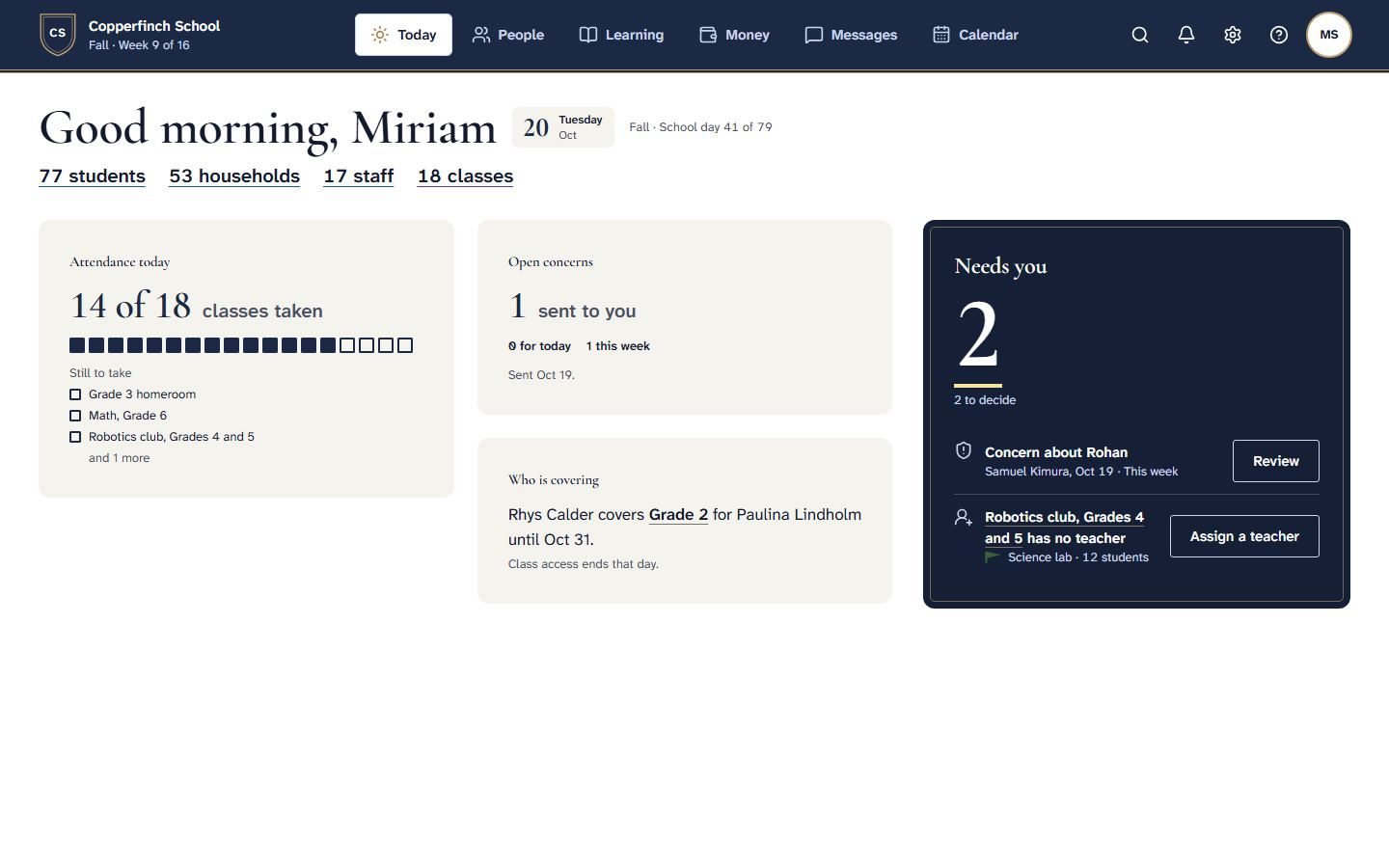
The head of school’s Today.
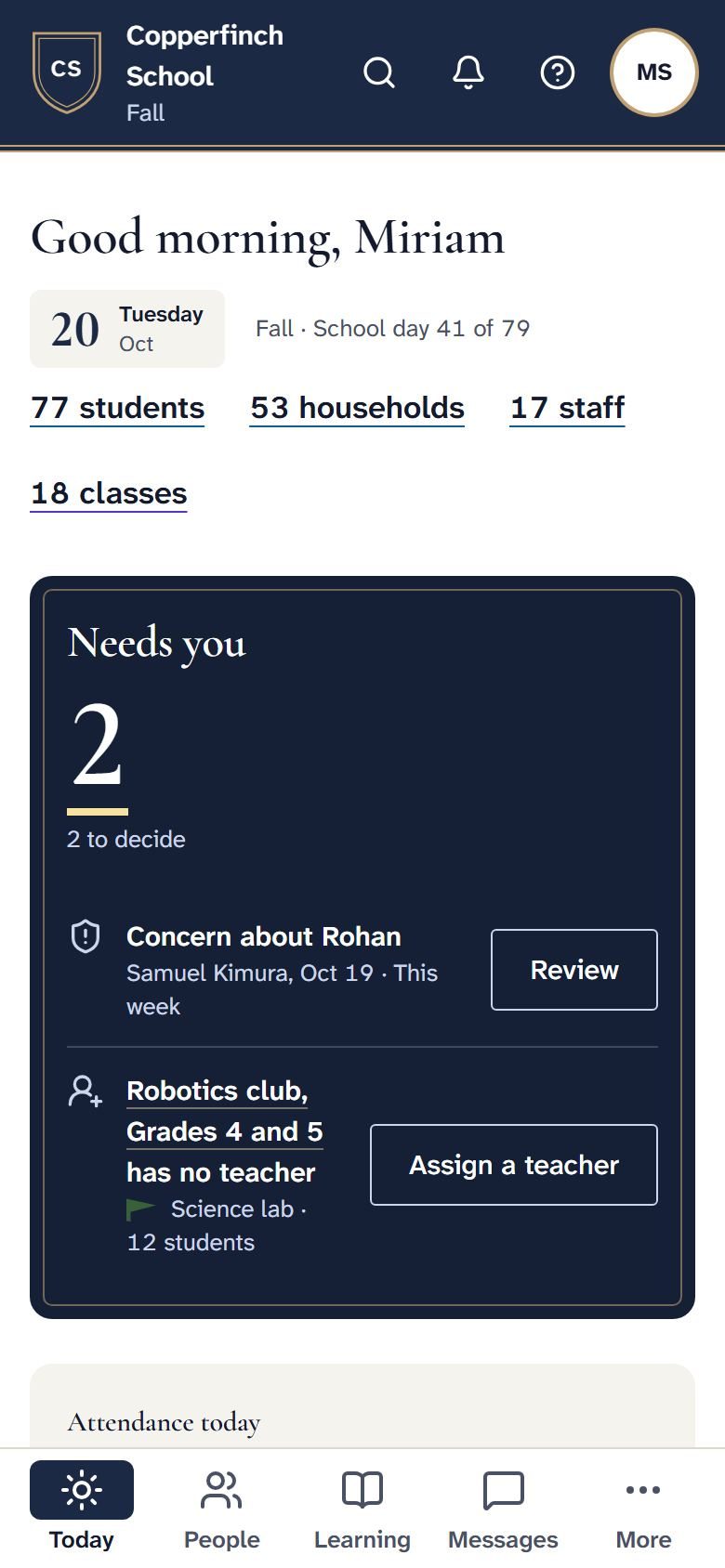
Open SchoolOpEx and Today shows the school at a glance: which classes have taken attendance, concerns teachers have raised, who is covering for whom, and the decisions waiting on you. The same screen fits a phone, so a decision can be made from the hallway.
Attendance by class, as it comes in
Concerns from teachers, ready to review
Cover for absent teachers
Each decision with one clear button
Sample data. Real screens from the build.
One page for each student.
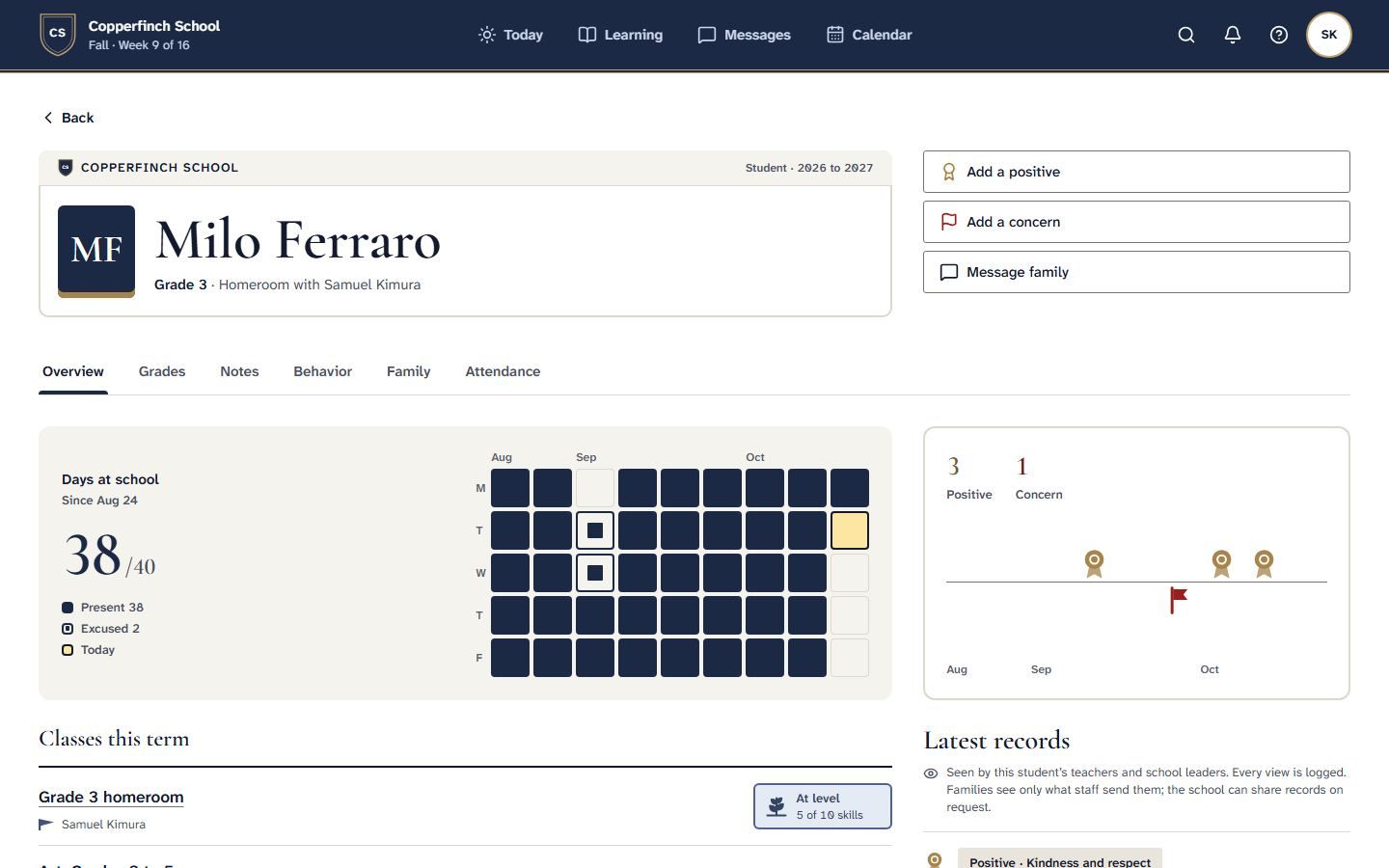
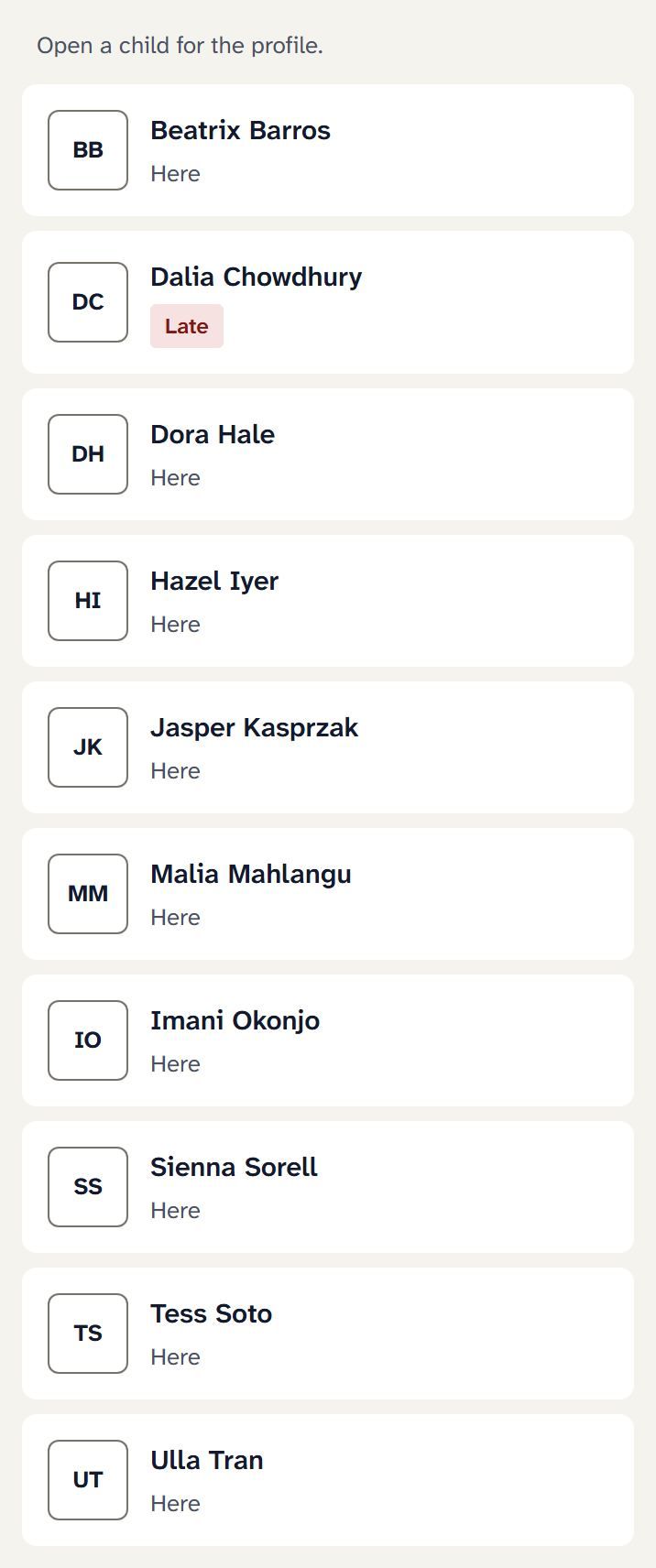
A student’s profile holds days at school, classes this term, positives and concerns, notes, family and attendance. It is seen by that student’s teachers and school leaders, and every view of health and other sensitive records is logged.
The whole year’s attendance on one grid
Positives and concerns on a timeline
Families see only what staff share with them
Sample data. Real screen from the build.
The school year, set once.
Set your terms, report card due dates and days off once. Today counts the school day from it, and attendance and report cards follow the same calendar.
Make-up days and breaks show on one line, so nobody has to ask when the term ends.
Sample data. Real screen from the build.
Invitations that don’t get lost.
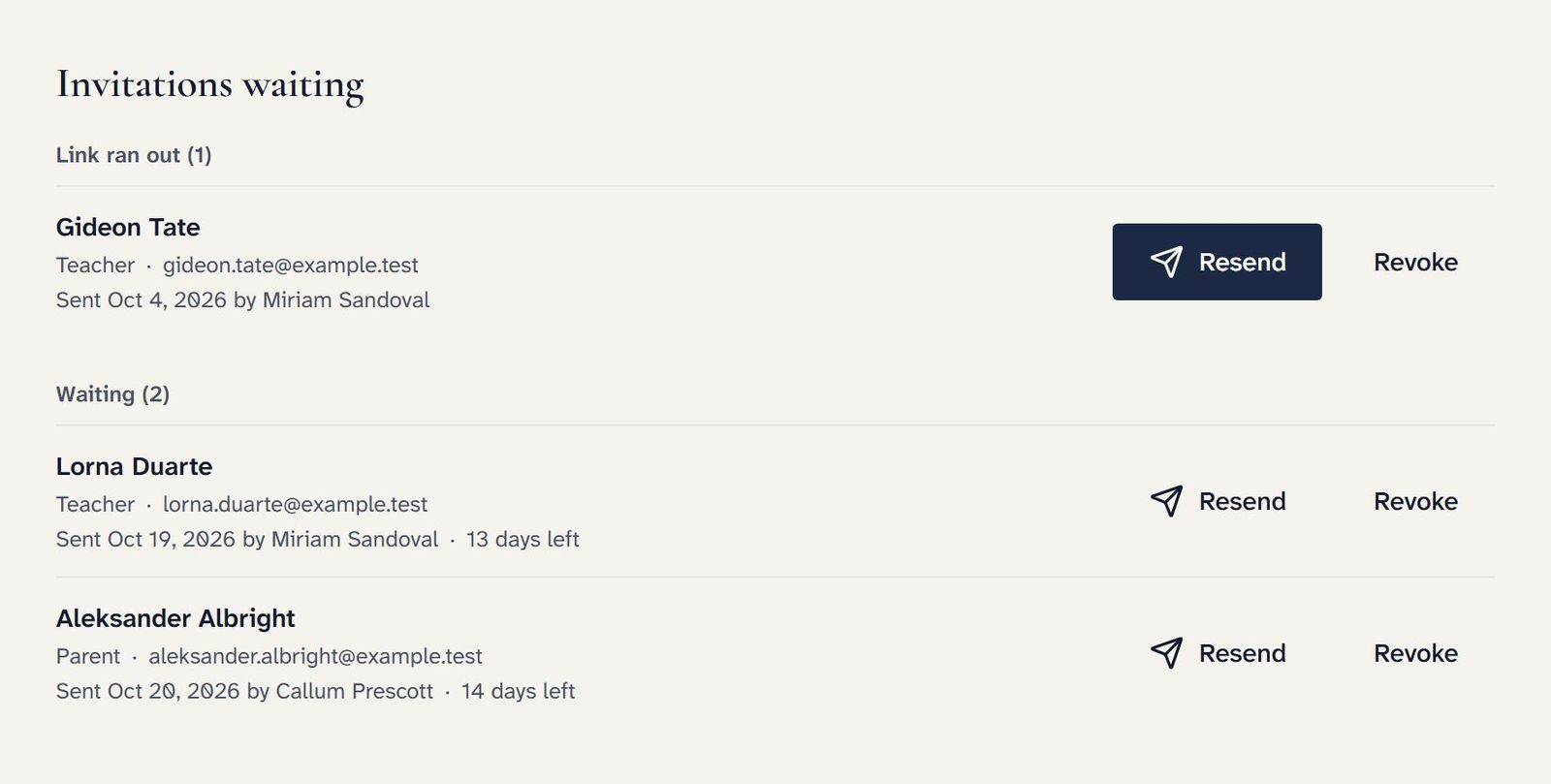
Invite teachers and families by email. They get in with a code sent to their email, with nothing to download. The office sees every invitation still waiting, resends one whose link ran out, or takes one back.
Sample data. Real screen from the build.
Teaching
A teacher’s day starts with the class on now and ends with grades that turn into report cards.
A teacher’s day opens on the class that is on now.
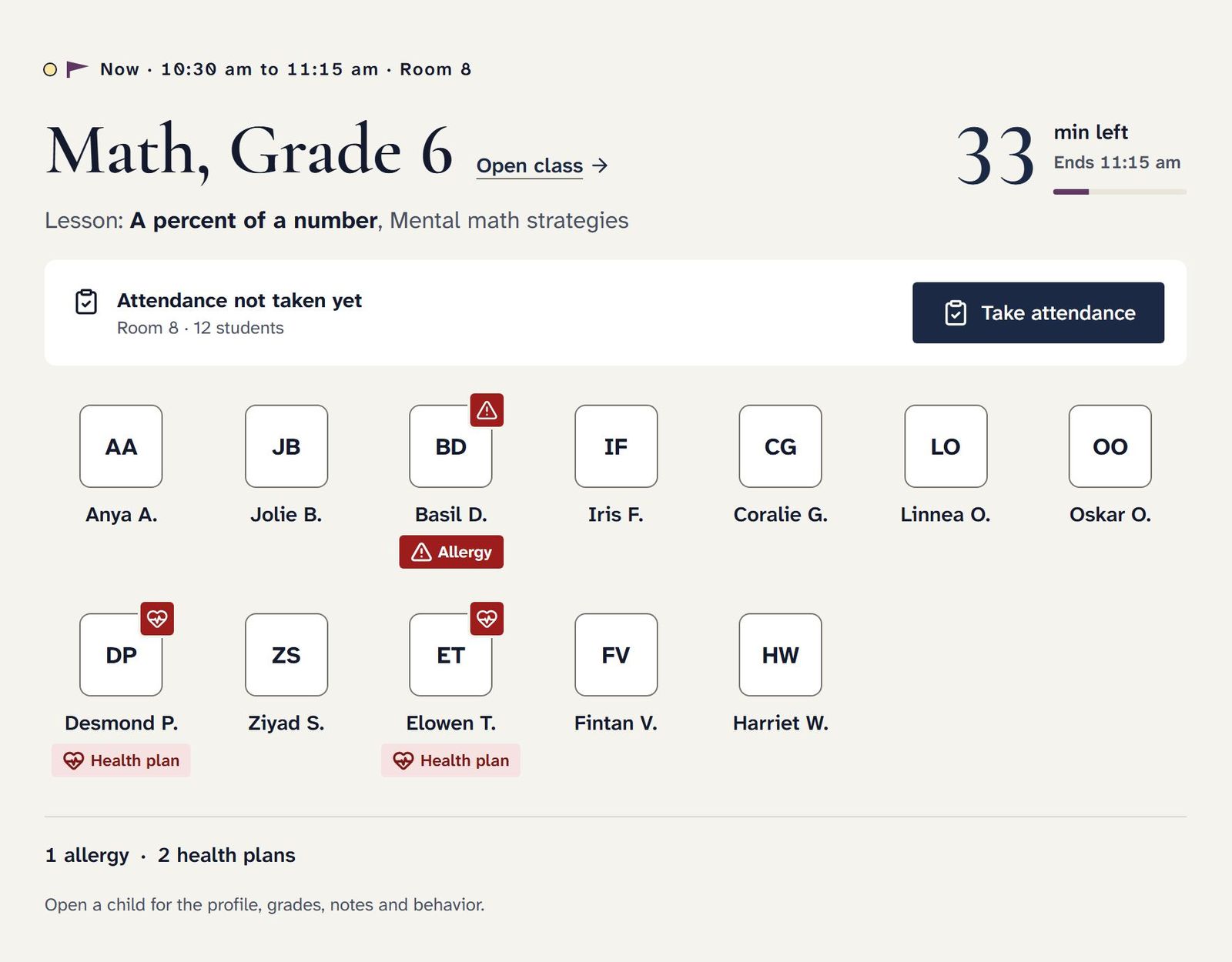
Teachers see the class in front of them, the lesson planned for it and the minutes left. Attendance is one button away, and allergies and health plans sit next to each name.
The lesson for this period, from the plan
Allergy and health plan flags on the roster
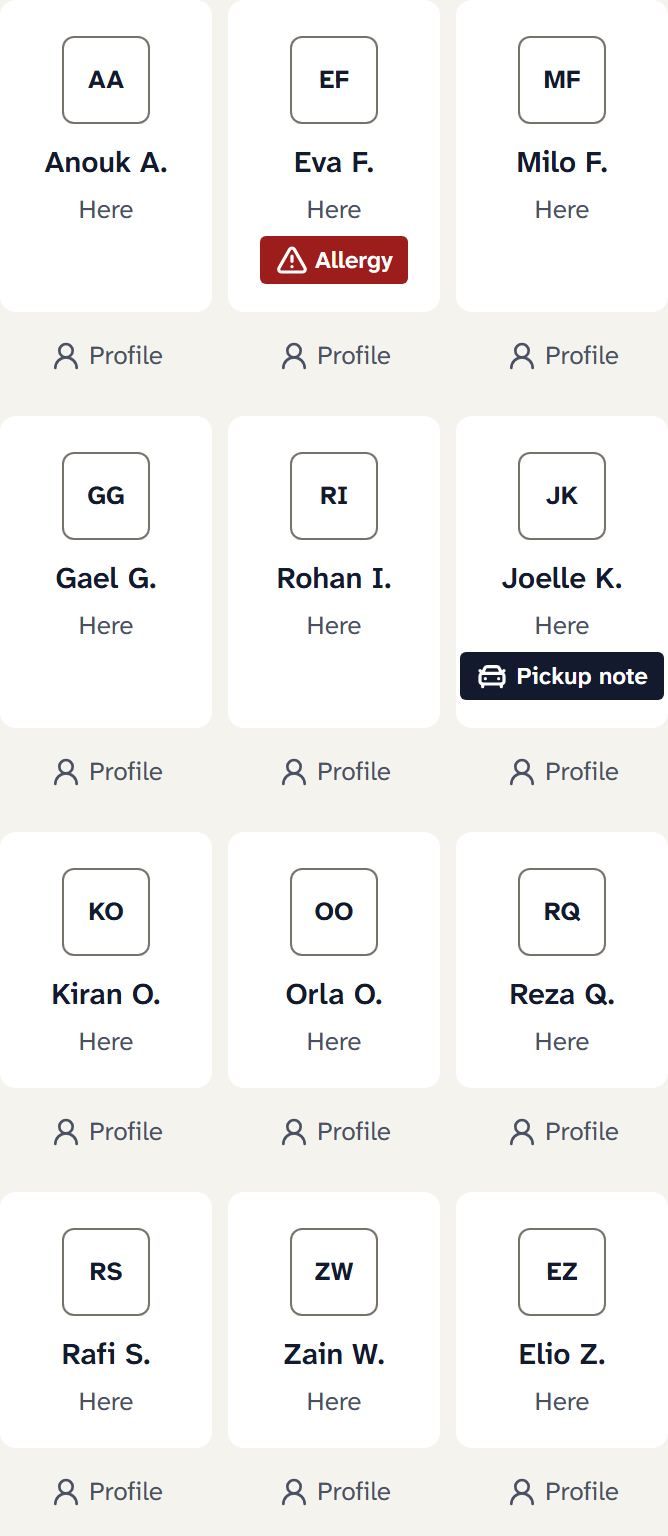
Pickup notes where the teacher will see them
Sample data. Real screens from the build.
Attendance in a few taps.
Everyone starts as here, so taking attendance means tapping whoever is late or absent. The office sees each class the moment it is saved.
Try it: tap a student, then save.
CSCopperfinch SchoolFall · Week 9 of 16TodayLearningMessagesSK
Math, Grade 6 · Room 812 here · 0 late · 0 absent
Everyone starts as here. Tap a student to mark them late or absent.
The office sees it the moment you save.
Saved at 8:41 am. 12 of 12 classes have attendance today.
Working sample with made-up students.
Class pages and updates.
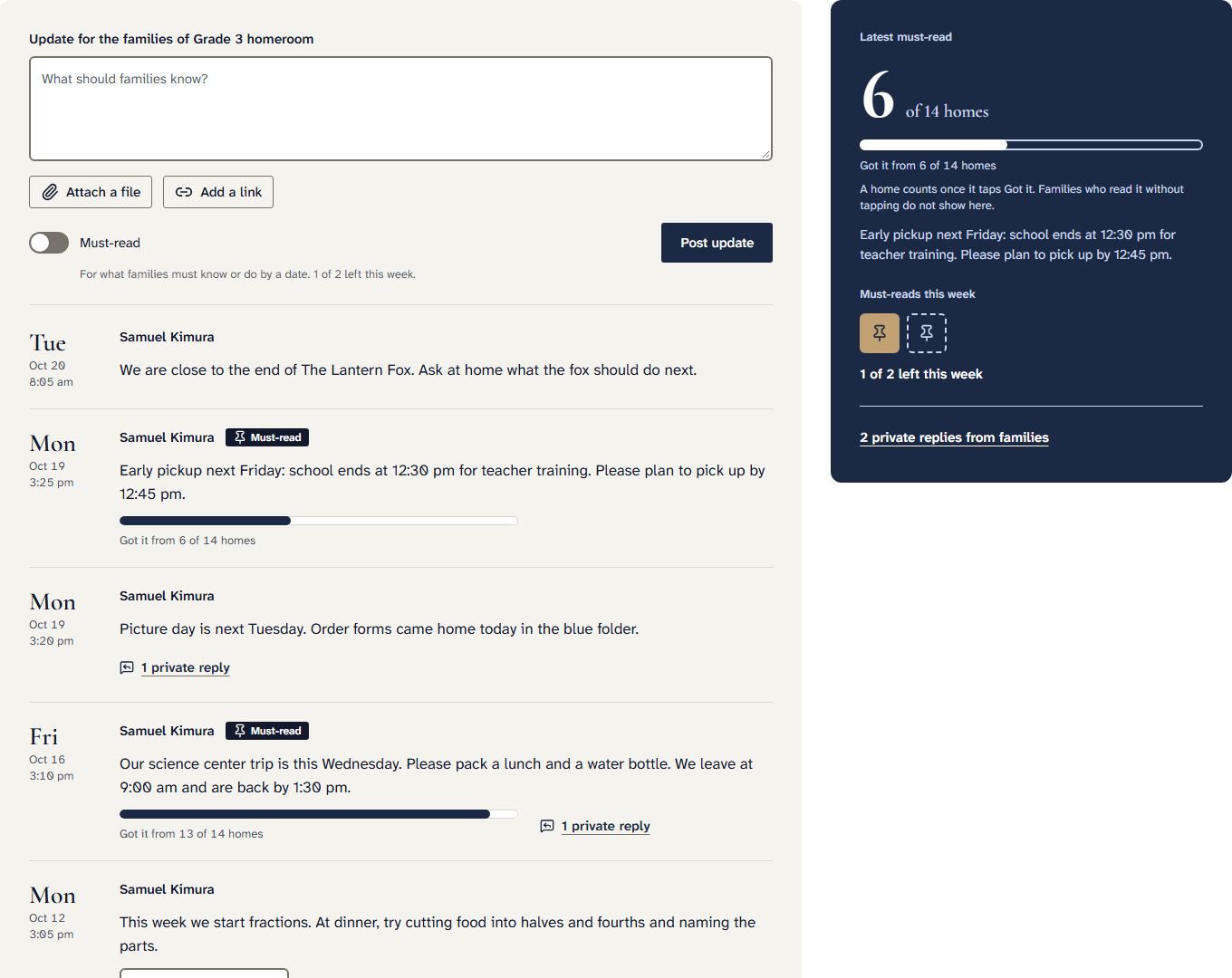
Every class has one page for its teachers and its families. Teachers post updates, attach files and links, and mark the ones families must read by a date.
SchoolOpEx shows which homes tapped Got it, and families can reply privately to the teacher.
Must-read updates with a count of who has seen them
Files and links in the update itself
Private replies, never a reply-all
Sample data. Real screens from the build.
Lesson plans for the week.
Plan by subject and day, attach worksheets and links, and change a day when a trip comes up. Weekly summaries build from what is already planned, so nothing is written twice.
Sample data. Real screen from the build.
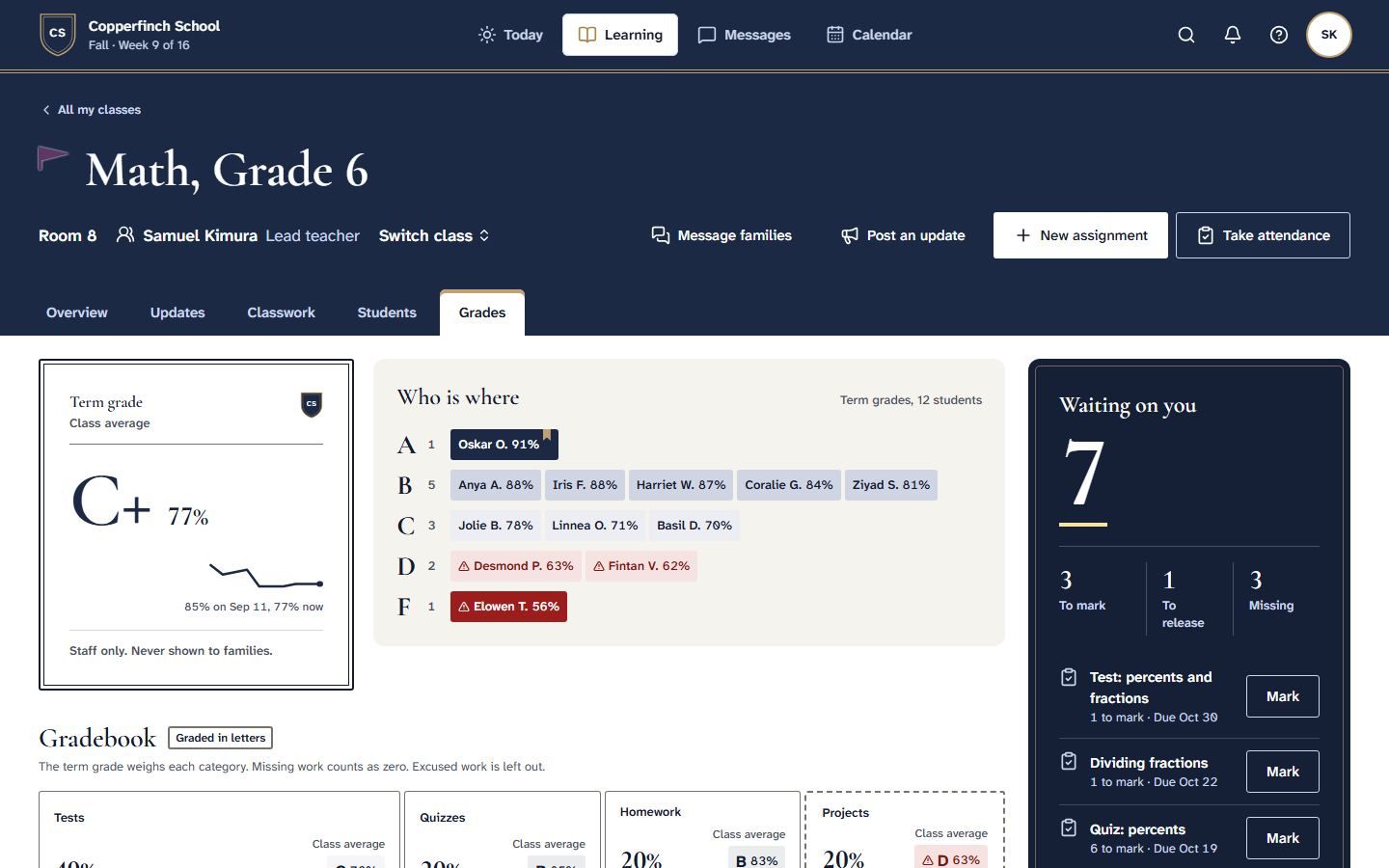
Gradebook and report cards.
Teachers grade in letters, percentages or levels, with the category weights the school chooses. Work waiting to be marked is flagged, and teachers decide when a grade is released to families.
At the end of the term, report cards fill in from the gradebook, ready to review and send.
Students grouped by where they are
Your weights for tests, homework and projects
Report cards built from what is already there
Sample data. Real screen from the build.
Families
Parents see each child’s classes, what is due and how the term is going on the phone they already carry.
What families see.
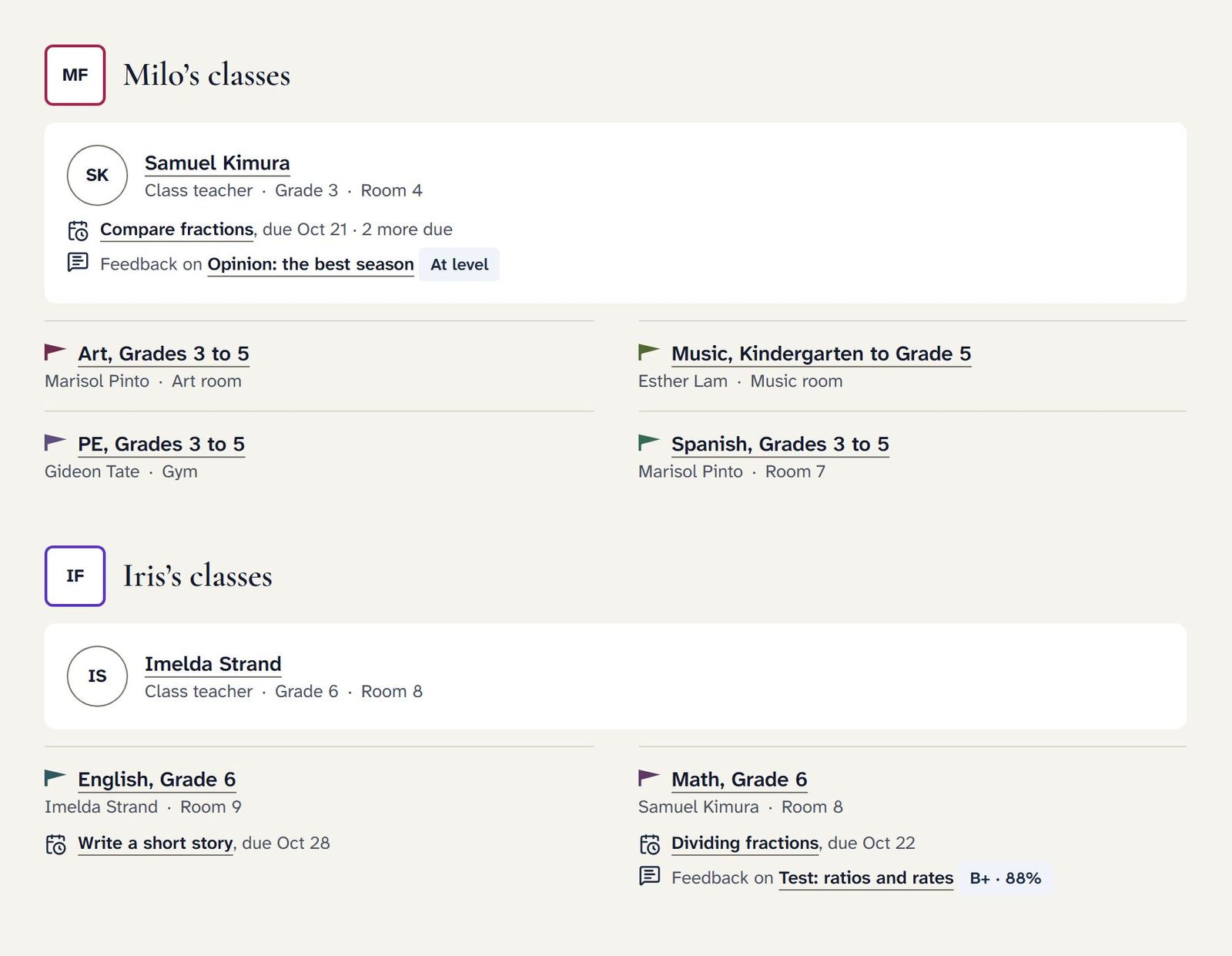
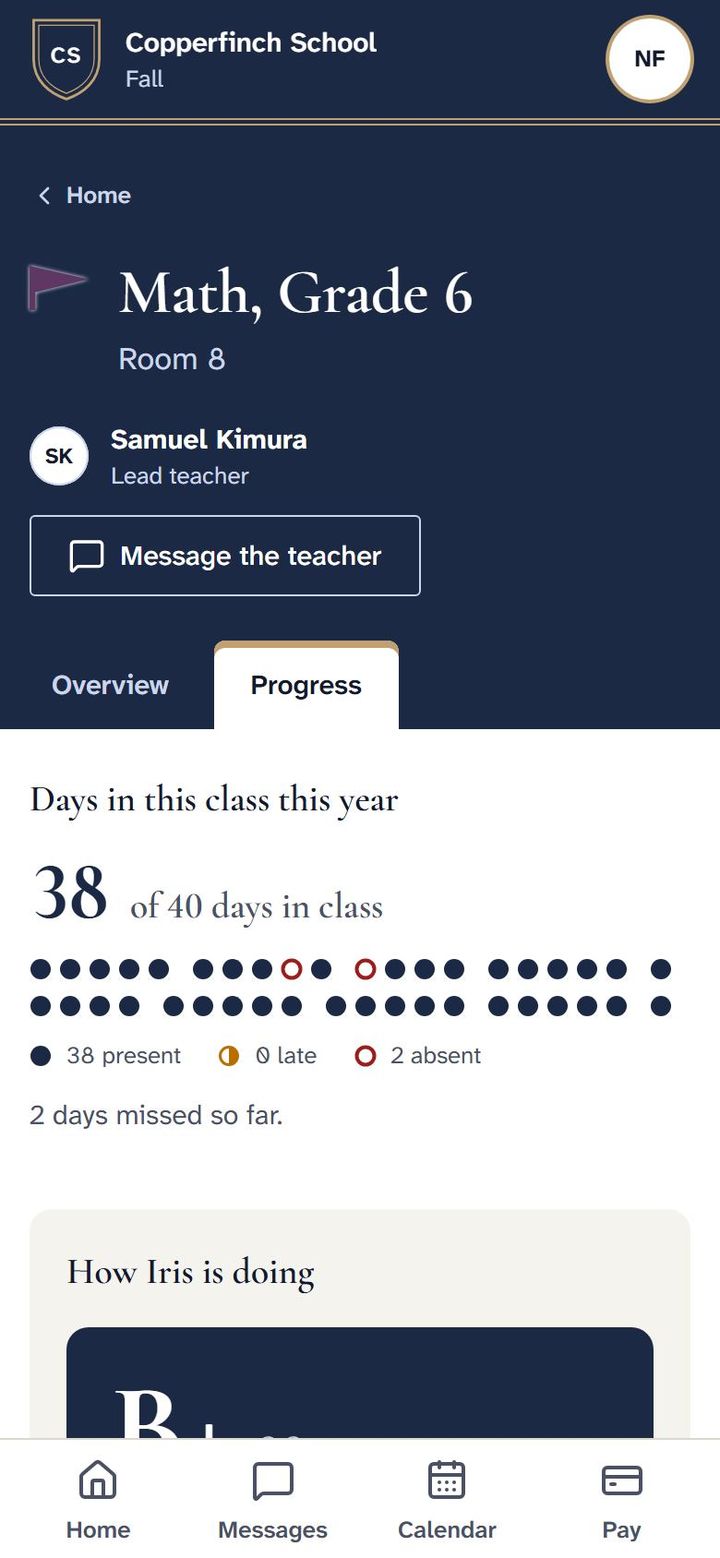
Every child is on one screen, with their classes, teachers, work due and the feedback teachers chose to share. There is nothing to download from an app store; families get in with a code sent to their email.
Each child’s classes and teachers
Days in class, so absences are never a surprise
A message to the teacher from the class itself
Sample data. Real screens from the build.
Messages, translated.
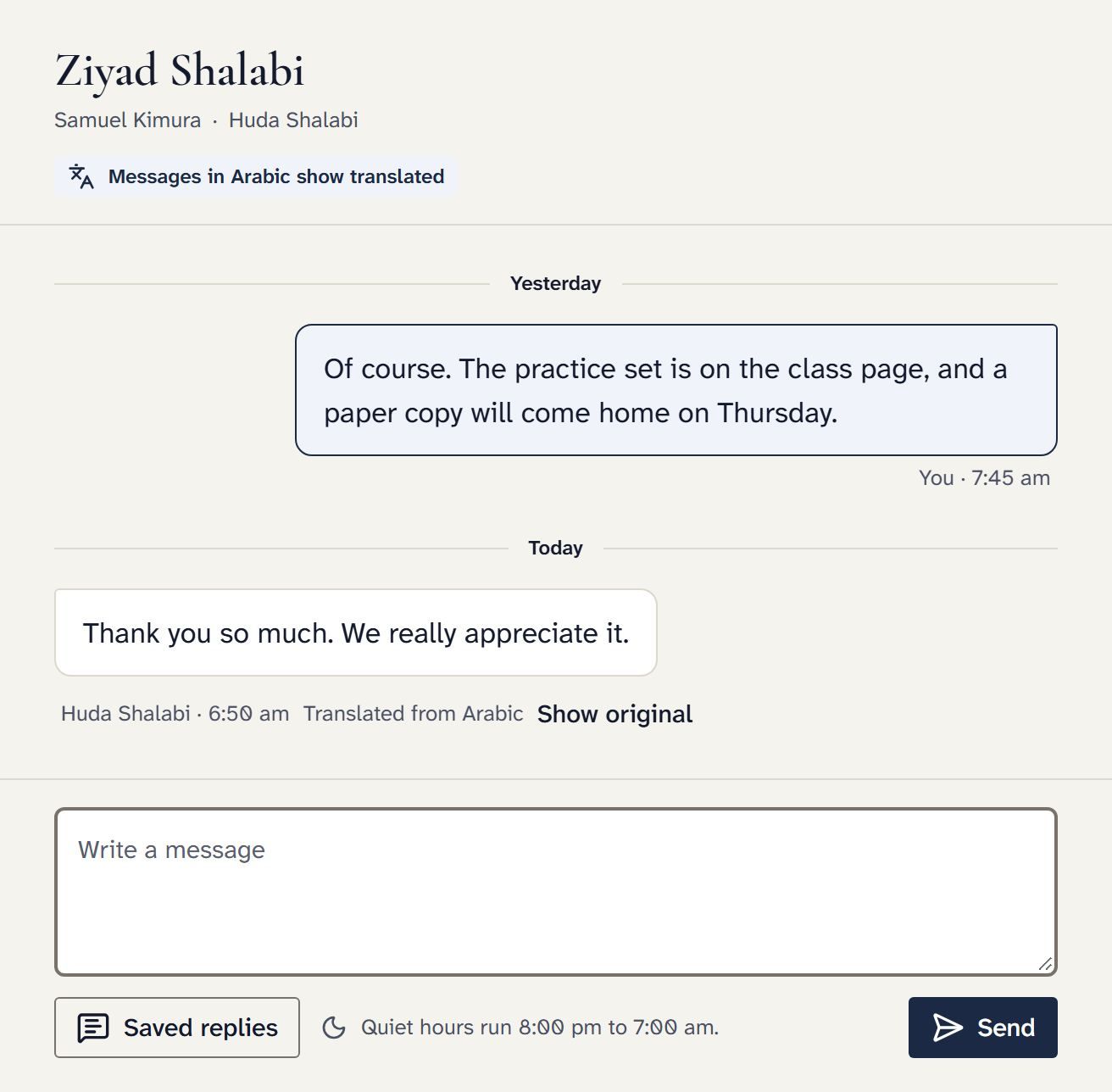
A teacher writes in English. Families who read Spanish or Arabic receive it in their language, with the original one tap away, and their replies come back in English. More languages are added as each passes our quality check.
Try it: switch the language.
Ms. Lindholm to Grade 3 families8:41 am
Excursión al museo de ciencias el viernes. Por favor, firmen el permiso antes del miércoles. Se proporcionará el almuerzo.
Translated from English · Show original
Permission slip, science museumSign by Wed
Sample data. Real screen from the build.
Money, admissions and moving in
These parts are designed and being built now. The screens below are drawings in the app’s design, with made-up families.
Tuition that keeps itself up to date.
Bill the term in one step. Families pay by bank transfer or card, on autopay or a payment plan, and reminders go out before and after the due date. The money lands in your school’s own account. SchoolOpEx never holds it and never takes a cut.
Autopay and payment plans
Checks and cash logged by the office
An export your bookkeeper can use
CSCopperfinch SchoolFall · Week 9 of 16TodayPeopleLearningMoneyMessagesCalendarMS
Fall tuitionExport for your bookkeeperBill families
Collected this term$71,900 of $84,250
38 on autopay4 on payment plans3 late
Where the money went
Bank transfer$46,320
Card$19,880
Check, logged by the office$5,700
Paid straight into the school’s own account.
Okafor family2 children · Autopay from bankPaid$1,250.00
Haddad familyPayment plan, 3 of 10Due Nov 15$625.00
Brooks familyReminder sent Oct 3012 days late$1,250.00
Ibrahim familyPaid in full, Sept 1Paid$2,500.00
Nguyen familyCard on fileAutopay Nov 1$1,875.00
Design preview. Made-up school.
Admissions on one board.
Families inquire, book a tour, apply and sign the enrollment agreement on a phone. The office moves each family along one board, and everything they filled in becomes their record when they enroll.
Online applications and enrollment forms
Signatures on any phone
Open spots and waitlist offers by grade
CSCopperfinch SchoolFall · Week 9 of 16TodayPeopleLearningMoneyMessagesCalendarMS
Admissions for 2027 to 2028Tour timesCopy inquiry link
Drag a family to its next step. Every form they filled in comes with them, and nothing is retyped at enrollment.
Inquiry2
Alvarez family1 child · Grade 2
Kim familyAsked about tuition
Tour2
Farah familyThu 9:30 am
Osei familyBooked online
Applied2
Grant familyForms complete
Lopez family1 form to sign
Accepted1
Rahman familyContract signed
Enrolled2
Cole familyDeposit paid
Patel familyDeposit paid
Design preview. Made-up school.
Moving in, checked before it lands.
Send a spreadsheet or your current system’s export. SchoolOpEx tidies it, points out what needs you, and saves nothing until you approve the preview. Families hear nothing until you invite them.
Possible duplicate families flagged
Phone numbers and grades made consistent
Setup done with you, not left to you
CSCopperfinch SchoolFall · Week 9 of 16TodayPeopleLearningMoneyMessagesCalendarMS
Moving in: check before bringing it in
We found 64 families, 71 students and 12 staff. Three things need you before they come in.
These look like the same familyOkafor family (row 14) and N. Okafor (row 52)Same family, mergeDifferent families
Two students have no gradeChoose a grade for each before they come in
One teacher has no emailAdd it now, or invite them later
Already tidied for you
Phone numbers in one format128
Grades written the same way41
Extra spaces removed312
Nothing is saved until you approve it. Families hear nothing until you invite them.
Design preview. Made-up school.
Co-ops and homeschool
The same app, shaped for a co-op’s class day or a family’s week at home, in their own words.
A co-op Friday.
Every class, room and open spot for the day on one screen. Member families choose their classes, volunteer jobs are filled and counted, and each class fee goes straight to the teaching parent who teaches it.
Classes with open spots and waitlists
Volunteer job hours that add up on their own
Supply fees to the co-op, class fees to the teaching parent
This Friday, Nov 6All 18 jobs coveredOpen spring sign-ups
9:00
Nature journalingRoom A · 12 of 12
Pre-algebraRoom B · 9 of 10
Little explorersNursery · 8 of 8
10:30
Art studioRoom A · 11 of 12
DebateRoom B · 7 of 10
Story timeNursery · 6 of 8
12:00
Lunch and recessGym · all families
Chemistry labLab · 10 of 10
Spanish IRoom B · 8 of 10
Volunteer jobs this term
Rivera family16 of 20 hours
Kim family20 of 20 hours
Patel family9 of 20 hours
Class fees22 of 24 paid
Each class fee goes straight to the parent who teaches it. Supply fees go to the co-op.
Design preview. Made-up co-op.
A homeschool week.
See who takes what at a glance, plan each child’s week, and log lessons as they happen. Learning days count up on their own, and records are kept in the shape your state asks for.
Your records stay yours, are copied every night, and help is on hand on every screen.
Your data, backed up every night.
Every night a copy of your records is made, read back to check it matches, and kept in two places. You can see the result yourself, and download everything you have entered any time, free, with no exit fee.
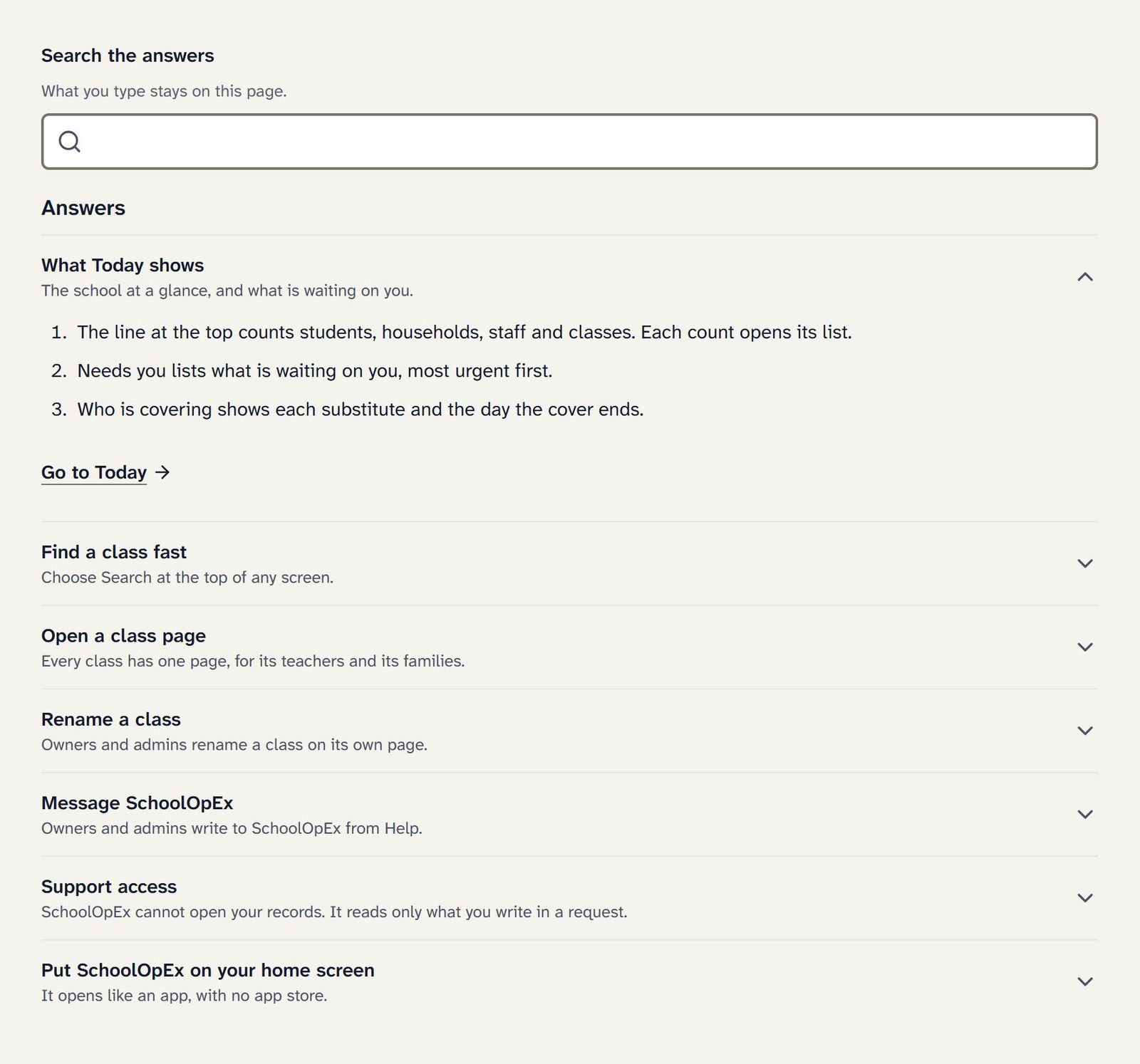
Short answers to the questions people actually ask, searchable from any screen, with a link straight to the right place. Owners and admins can write to SchoolOpEx from Help, and we read only what you write in a request.
Sample data. Real screen from the build.
Join the waitlist
SchoolOpEx opens in summer 2027, in time for the 2027 to 2028 school year. Join the waitlist to hear the day it opens. Before then, we only write when there is real progress to show.
Prices are published, and every plan includes every feature
Schools invited from the waitlist get setup tasks done free in their opening 90 days
One click to leave the list, any time
You’re on the list.
We will write the day SchoolOpEx opens, and before then only when there is real progress to share. If you asked for the founding school application, it comes by email when applications open.